Publishing calendar and library
See every scheduled and published post by day and drag to reschedule; keep images, videos and text you reuse across pieces in the library.
Publishing calendar
Content & publishing → Publishing calendar in the sidebar, by "Week" or "Month": every account's scheduled, publishing, published, failed and deleted posts.
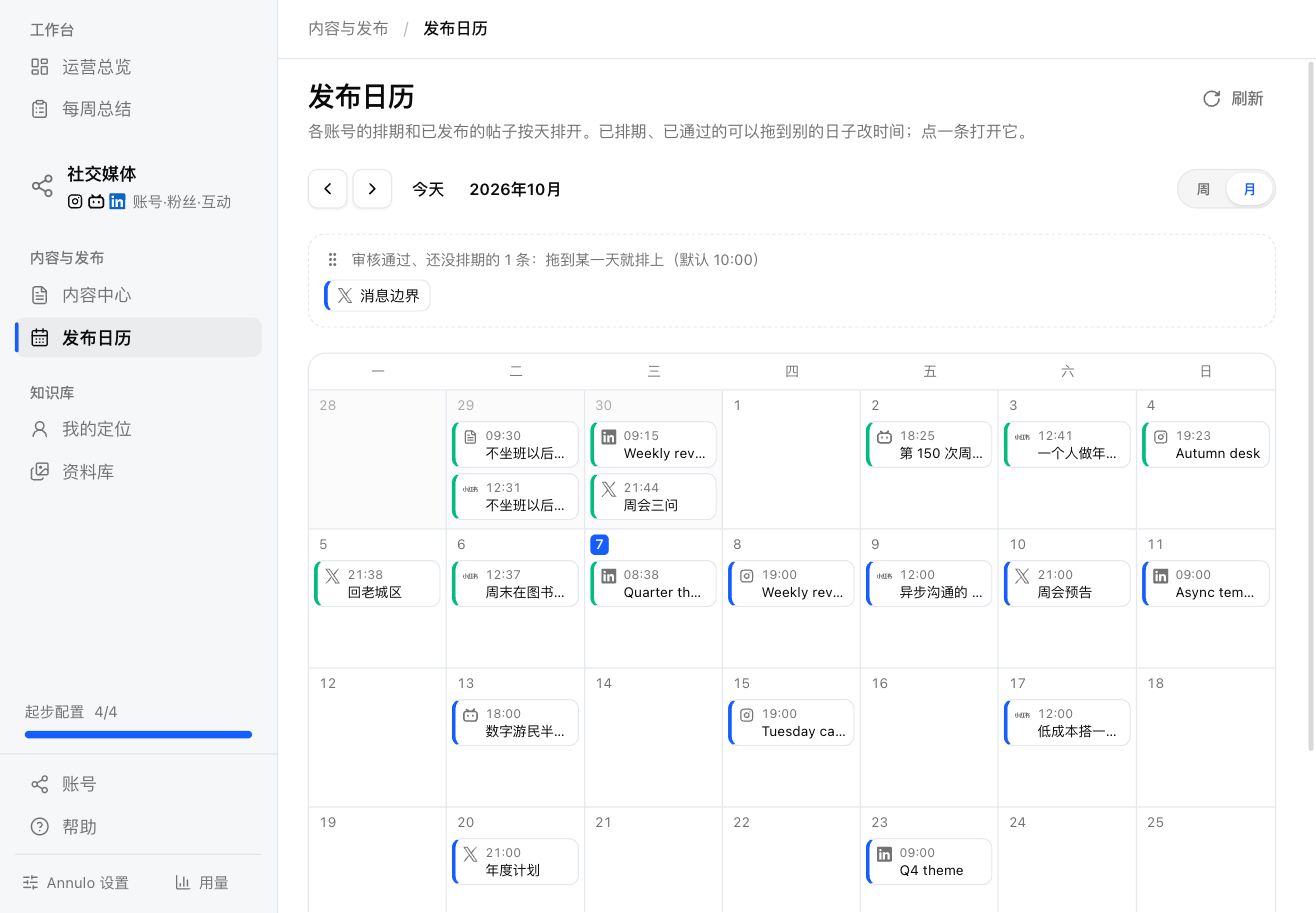
- Click an item to open the piece it came from;
- Drag a scheduled post to another day; the time stays the same. You can't drag into the past;
- Posts that aren't scheduled yet (if any) are listed at the top; drag one onto a day to schedule it (10:00 by default);
- Annulo publishes on time (Annulo must be open).
Library
Knowledge → Library in the sidebar keeps images, videos and reusable text that several pieces use (an avatar, an intro clip, openers and quotes you reuse). A piece's own images and videos belong in its folder, not here. When you publish (images, video, video cover) or insert an image in the folder's editor, "From library" picks from here.
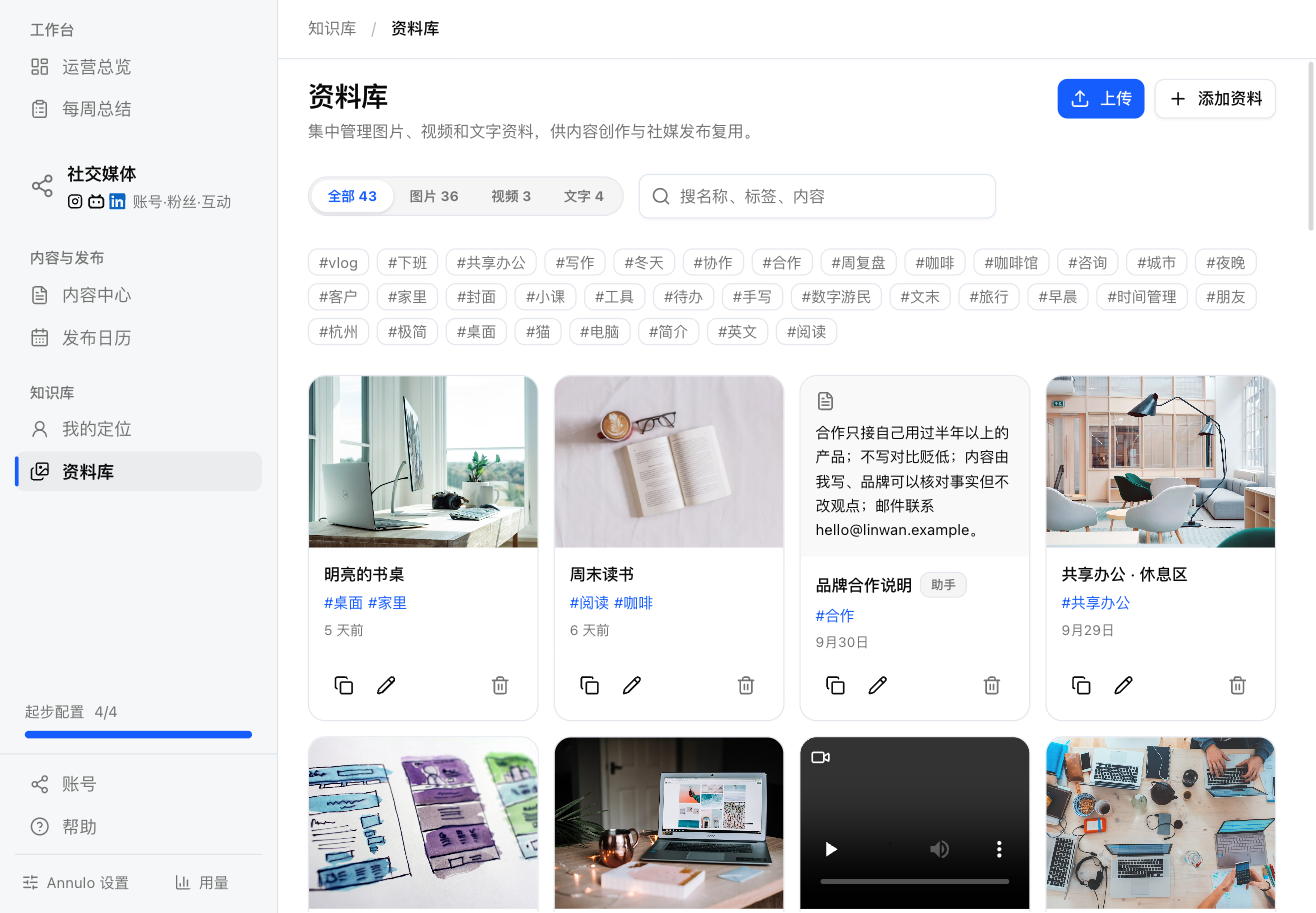
- "Upload": pick images or videos, up to 200 MB each, several at once, or drop them onto the page;
- "Add resource": paste image or video URLs (one per line; they must be public https URLs, since platforms download them when posting), or save a piece of text (openers, quotes, personal stories you reuse);
- Filter by All / Images / Videos / Text, and search names, tags and content;
- Each item can be copied (URL or text), renamed and retagged, or deleted. Deleting doesn't affect content that's already out;
- Items the assistant saved are marked "Assistant".