Build your own workbench
Tell AI what you need. It doesn't just give you an answer: it builds the interface and features, and sets up a workbench that's ready whenever you are.
macOS 12+ (Apple silicon / Intel) · Windows (x64 / ARM64) · Apache-2.0
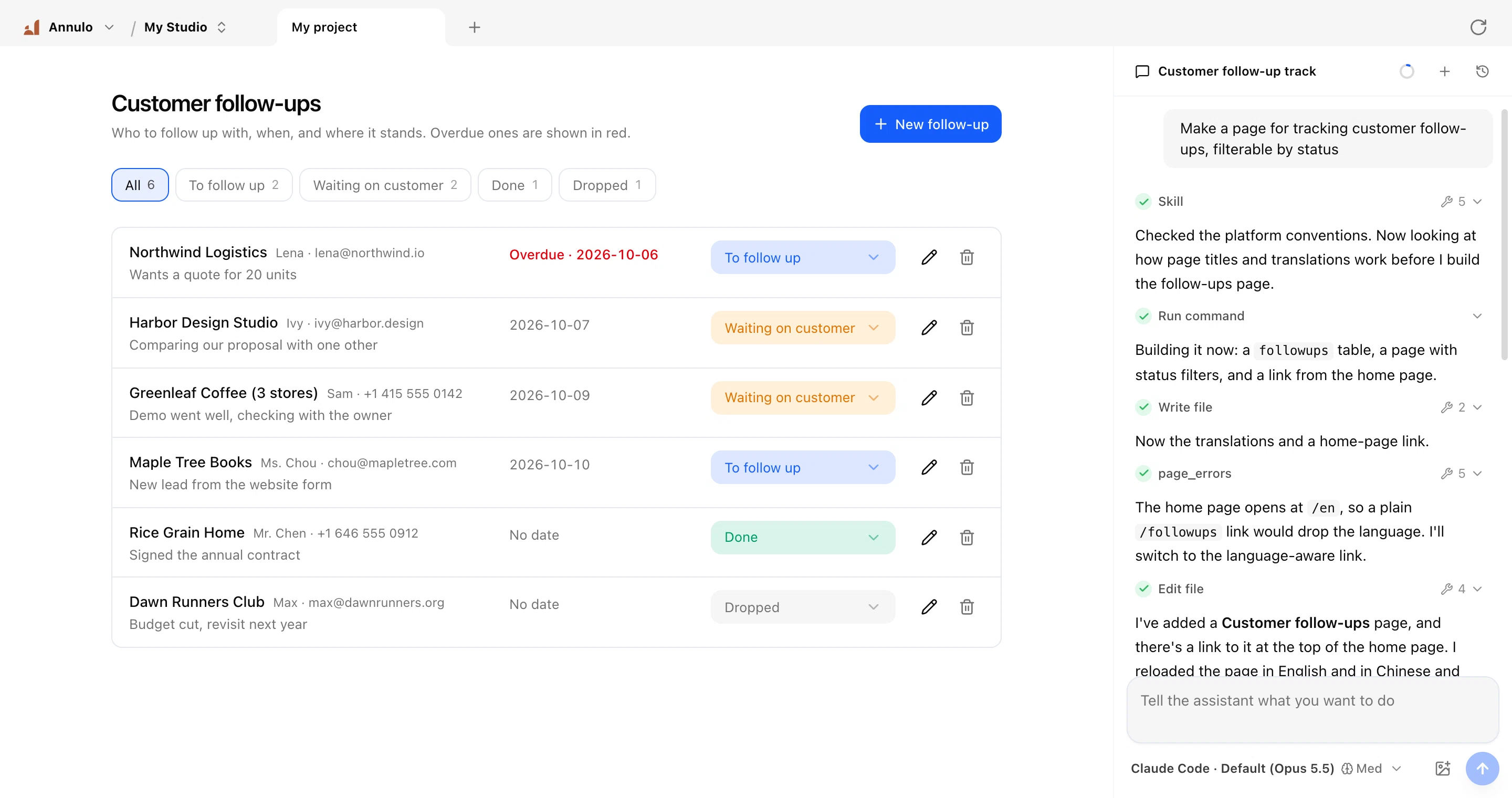
General agents vs. coding vs. Annulo
AI is great at making things, then the chat ends. And not every job needs AI: simple routines can be done by a script or a click, faster, steadier and cheaper. That's when you need an interface.
A one-off answer · gone when the chat ends, ask again tomorrow
I checked: the certificate for api.example.com expires in 6 days, shop.example.com has 23 days left, the other two are fine.
Stays in your back office · runs itself every day, ready to click
Certificates
12 domains · expiring ones go to team chat
A week later: five approaches side by side
Why not just have AI write the software?
It can. But writing it is only the start: code is a small part of software you keep using.
Annulo is a house with the plumbing done. AI just furnishes it the way you like.
A workbench of your own, for everyone
Software used to be built for everyone, so you made do. Now AI can build for just you: it takes the shape of the work you actually do.
“Check the certificates on all our domains every day and warn me 30 days before one expires”
- A certificate list: domain, expiry date, days left, the urgent ones in red
- A Check now button
- Runs every day at 08:00 and posts expiring ones to your team chat
Certificates
12 domains · expiring ones go to team chat
Say what you need; the assistant does the rest. Your workbench, under your control.
From a single reminder to a full operations back office
We build the foundation for real needs, not just toys.
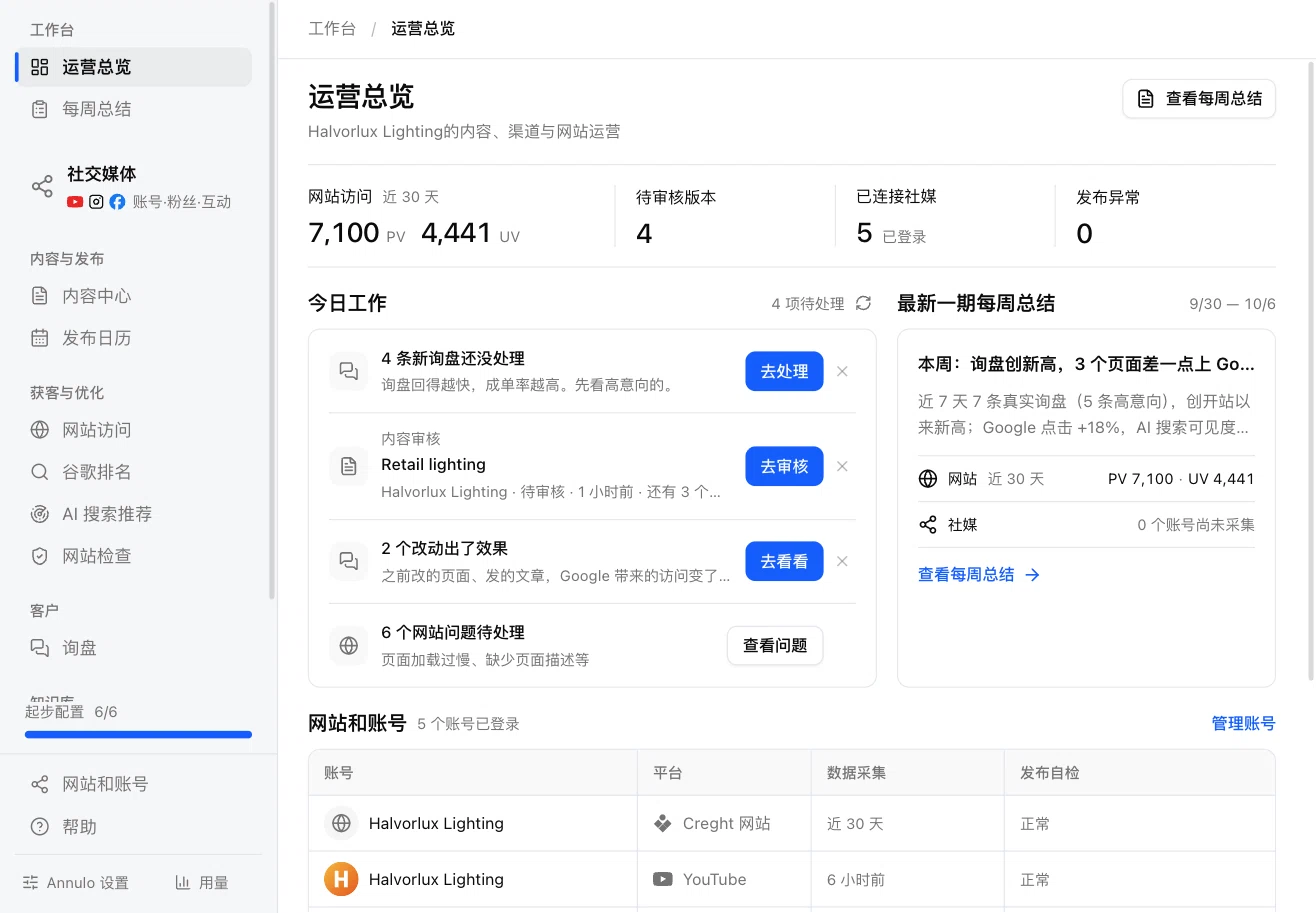
Export assistant
For small export teams: website, product data, multi-channel content and inquiry follow-up, a complete operations back office.
- pages
- 10+
- data tables
- 24
- local scripts
- ~30
- schedules
- 7
- AI tasks
- 13
- social platforms
- 9
- DailySync inquiries and judge each one; check the site for problems; see whether AI like ChatGPT recommends you
- WeeklyTopics and articles, each rewritten as posts for every platform, published after review; a report every Monday
- AlwaysFollow up on what went out: rankings and traffic, up or down, all recorded
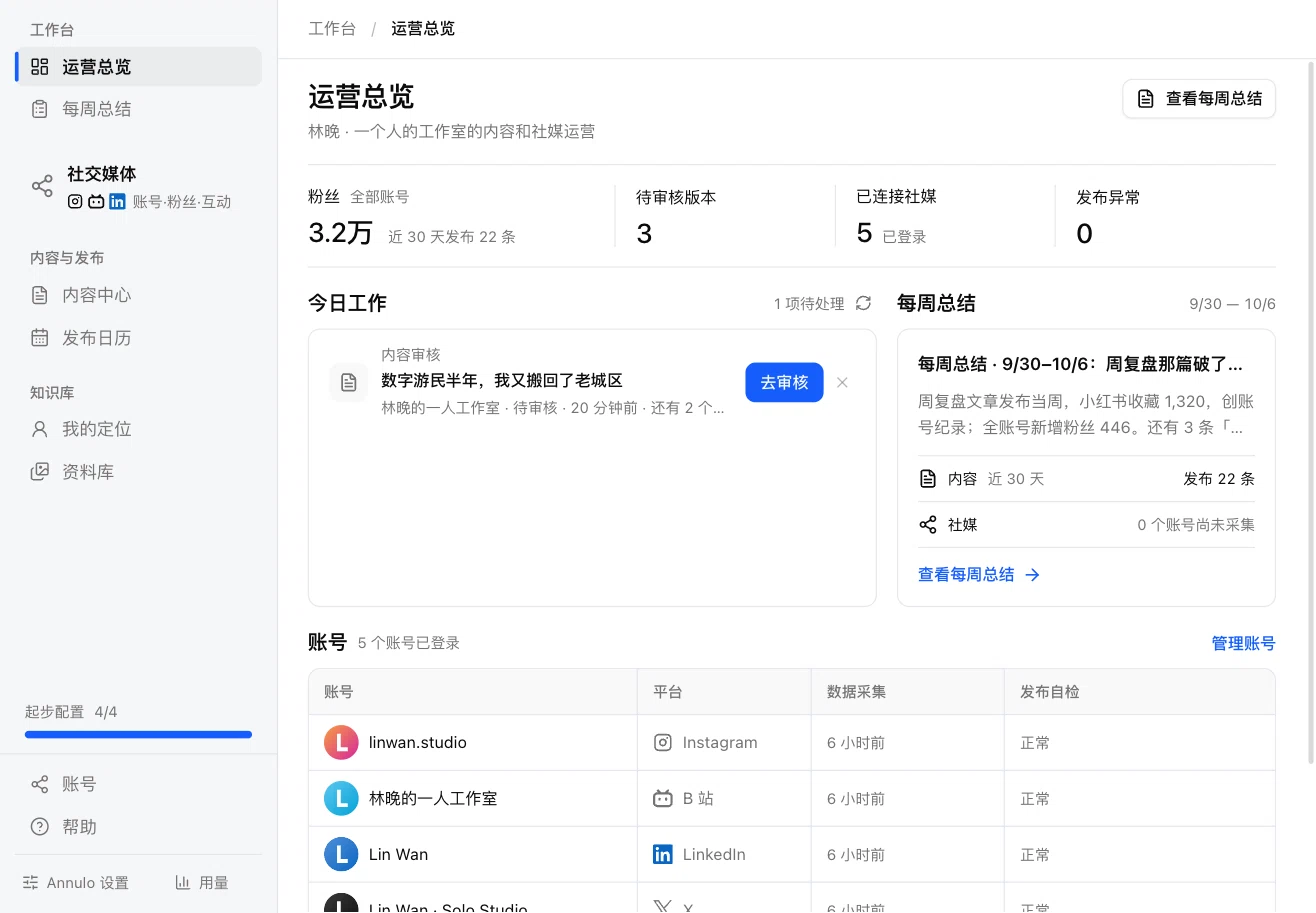
Creator studio
Set your positioning, get topics and drafts, turn one draft into posts for Xiaohongshu, X, LinkedIn and 6 more platforms, publish or schedule after review; followers and engagement collected, a summary every week.
All the code is public: see how a complete back office is built on Annulo.
Starting from a template doesn't lock you in: every page, table and script can be changed by the assistant to fit your business.
See all templatesBring your own model. Annulo charges nothing.
Annulo doesn't sell models or mark them up. Your key stays on your computer, requests go straight from your computer to the provider, and the provider bills you at their price.
Your own API key
DeepSeek, Kimi, Qwen, Doubao, MiniMax, OpenAI, Anthropic, or any OpenAI-compatible service.
Claude Code / Codex you already pay for
Installed on this computer? Use it as the assistant at no extra cost.
Finished buttons and schedules run local scripts, not the model. You only spend tokens when the assistant builds or changes something.
No cloud needed. Everything works.
By default everything stays on your computer: no sign-up, no accounts, every feature works. You can also connect to the cloud: your data follows you to a new computer, and you can work from your phone on the go.
- No sign-up
- Data on this computer
- Every feature works
Data in the cloud
Projects and business data live in your creght account, there when you switch computers.
Your back office on your phone
How many inquiries today, how the posts are doing: open your phone. Same back office, no extra app.
Tap on the phone, the computer does it
Publishing, syncing and collecting need the accounts and browser on your computer. Tap a button and that computer does the work.
The assistant on your phone
Ask about data, have it draft. It runs on your computer; your phone shows how far it's got.
Accounts and keys stay home
Social logins and API keys stay on your computer; the phone only asks it to run.
Only you can open it
The back office needs a sign-in, and the phone can only trigger actions the project allows remotely.
With the computer off you can still view data on your phone; publishing, collecting and the assistant wait until the computer and Annulo are on.
Code on GitHub, data on your machine
Annulo is open source under Apache-2.0. No sign-up and no account needed to use all of it.
Star it on GitHubFAQ
Does it cost anything?+
Annulo is free and open source (Apache-2.0); we don't charge. Model usage is billed by the model provider at their price; Claude Code / Codex you already subscribe to costs nothing extra.
When should I just use Claude Code?+
If you're building a product for other people, like a public website or app, use Claude Code. Annulo is for tools you use yourself: back offices, dashboards, automations you open every day. You can also use Claude Code as the assistant inside Annulo.
Why a desktop app and not a website?+
To get things right, AI needs your context. On your computer the assistant can read your folders directly: product docs, past articles, the spreadsheets you keep, with nothing to upload or explain again; it can call local tools and the command line too.
Will posting to social media get my accounts banned?+
Annulo signs in, posts and collects through the browser on this computer, just like you would: same device, same network, same session. Cloud posting services sign in from unfamiliar data centers, which platforms often flag. Your sessions stay on your computer and never pass through a server.
Where is my data?+
On this computer by default (~/.annulo). Projects you choose to store in the cloud live in your creght account.
What happens to schedules when my computer is off?+
Schedules, publishing and collecting need Annulo running; a missed schedule runs once the next time you open it. For projects stored in the cloud, you can still view data on your phone.
What happened to Shuttle?+
Shuttle is now Annulo. An installed Shuttle will offer the update, and your projects and data come along.
Keep the next tool AI builds you
Download Annulo, create a project, and tell the assistant the first thing.